
The Complete Excel Course with AI Integration
Excel formulas and functions course
For people who want to write formulas with confidence, from a first SUM to XLOOKUP and dynamic arrays. In The Complete Excel Course with AI Integration no function is taught on its own: each one is used to finish a project. This page gathers the formula lessons from across the course into one path, in the order the course teaches them.
Taught by Sagnik Bhattacharya and Virginia Thorn


What you will be able to do
At work, you will be able to:
- Write formulas that survive being copied, with relative, absolute and mixed references.
- Make decisions with IF, IFS, AND and OR, and total with SUMIF, COUNTIF, SUMIFS and COUNTIFS.
- Look up a value with VLOOKUP, XLOOKUP or INDEX and MATCH, and handle errors with IFERROR.
- Join, clean and split text with TEXTJOIN, TRIM, PROPER, SUBSTITUTE, LEFT, RIGHT and MID, and calculate with dates using TODAY, EOMONTH and NETWORKDAYS.
- Build lists that update themselves with UNIQUE, FILTER, SORT and SORTBY, and write a model with LET, VSTACK and TEXTSPLIT.
- Use FV and XIRR for growth and returns, and have Copilot or ChatGPT draft a formula that you then verify.
Projects
What you will build.
The course has 14 projects. These four matter most here.
-
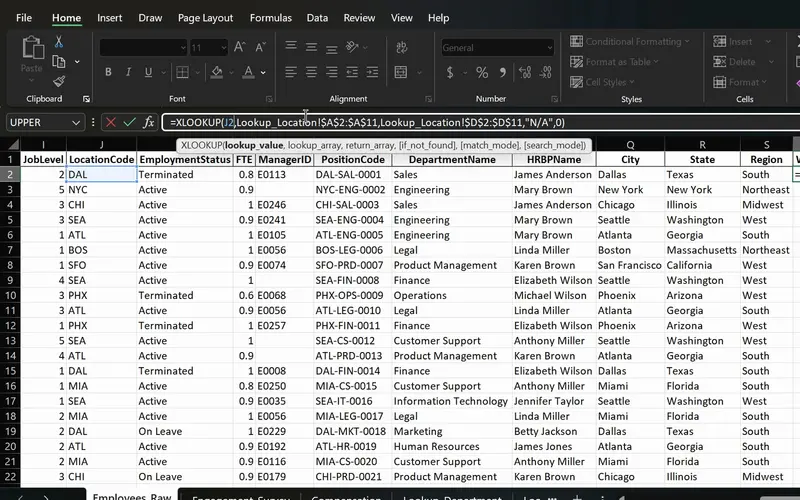
Project 06
PeopleInsight HR workbook
Employee data joined across sheets with one formula.
XLOOKUP, INDEX and MATCH and the dynamic arrays on employee data.
-
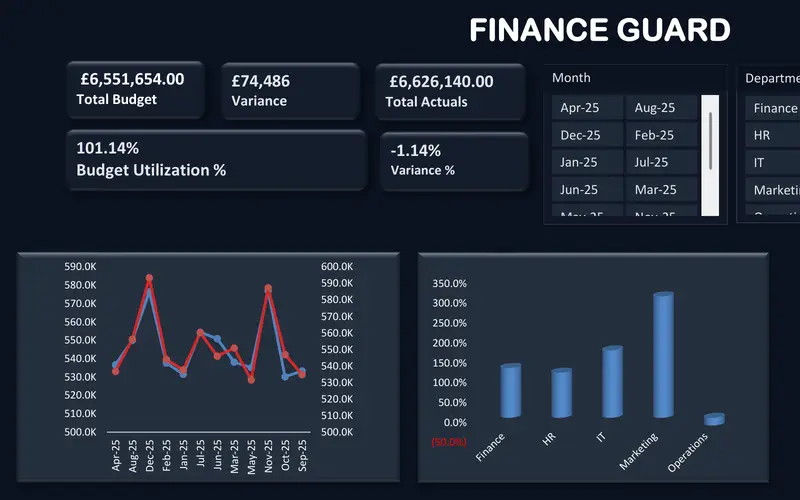
Project 09
FinanceGuard
The budget vs actual report finance teams send every month.
A budget model in which a handful of modern functions replace columns of manual formulas.
-
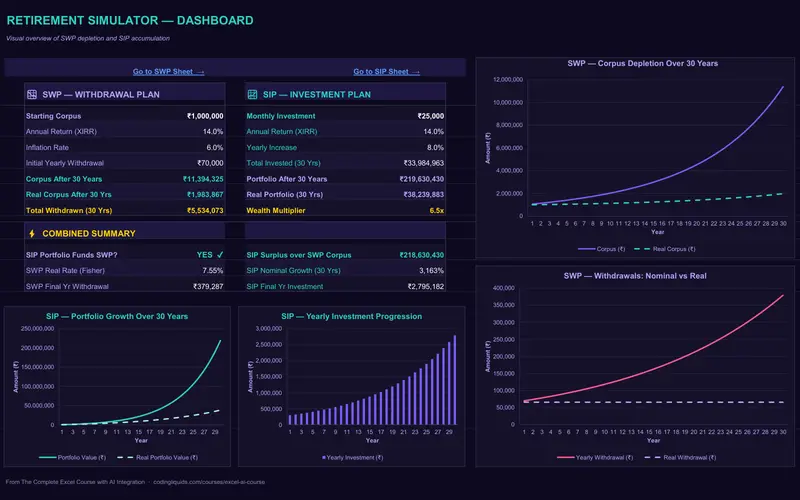
Project 10
WealthFlow
A retirement plan that shows how long the money lasts.
FV and XIRR in a model you can change and run again.
-
Project 03
Sales Goal Tracker
IF, IFS, AND, OR, SUMIFS and COUNTIFS on sales data: formulas that decide and total.
Lessons
The lessons that matter, in course order.
The Complete Excel Course with AI Integration has 186 lessons. This page picks out 40 of them, 3 h 21 min of video. Each lesson keeps its number in the course.
Where to start
Lesson 8 Basic maths in Excel
Begin at Lesson 8 if formulas are new to you. If you already write SUM and simple formulas, begin at Lesson 28; if IF and SUMIFS are familiar, begin at the lookups, Lesson 67.
40 of 186 lessons · 3 h 21 min
01 Microsoft Excel fundamentals: building a foundation from scratch First formulas: add, subtract, multiply and divide, SUM and AutoSum with MAX, relative and absolute references, percentages, and the common errors with IFERROR.
- 8 Start here Basic maths in Excel Add, subtract, multiply and divide with formulas 3 min
- 9 SUM and AutoSum in Excel Total income, expenses and savings with MAX 6 min
- 10 Relative vs absolute references in Excel Dollar signs and mixed references 3 min
- 11 Calculating percentages in Excel Each expense as a percentage of income 2 min
- 12 Common Excel errors and how to fix them DIV0, NAME, VALUE errors and IFERROR 4 min
04 Essential formulas and functions (IF, SUMIF and more) The everyday functions on a sales goal tracker: logical tests, IF, nested IF and IFS, AND and OR, SUM, COUNT and COUNTA, SUMIF and COUNTIF, SUMIFS and COUNTIFS, the function library, date and time functions, and a Ninja Challenge.
- 28 Logical functions in Excel TRUE and FALSE comparisons for beginners 5 min
- 29 The IF function in Excel Pass or fail results with a single condition 3 min
- 30 IF function practice in Excel Categorise sales data with IF formulas 6 min
- 31 Nested IF and IFS in Excel Customer value tiers with nested IF 6 min
- 32 Nested IF and IFS in Excel Sales performance labels with the IFS function 5 min
- 33 AND and OR with IF in Excel Flag high-value deals with multiple conditions 8 min
- 34 SUM, COUNT and COUNTA in Excel SUM with FILTER and counting numbers with COUNT 7 min
- 35 SUM, COUNT and COUNTA in Excel COUNTA, unique counts and completeness checks 4 min
- 36 SUMIF and COUNTIF in Excel Conditional sum and count with one criterion 8 min
- 37 SUMIFS and COUNTIFS in Excel Sum and count with multiple criteria 7 min
- 38 The Excel function library Insert Function dialog and Formula AutoComplete 5 min
- 39 Date and time functions in Excel TODAY, NOW, MONTH and date arithmetic 6 min
- 40 Excel Ninja Challenge COUNTIF, SUMIF, IF, COUNTIFS, SUMIFS and IFS practice 8 min
05 Text functions and data validation (enhancing data quality) Text functions: CONCAT, the ampersand and TEXTJOIN to join text, TRIM, UPPER, LOWER and PROPER to clean it, FIND, SEARCH and SUBSTITUTE to locate and replace it.
- 41 CONCAT, the & operator and TEXTJOIN in Excel Combine text from multiple cells 6 min
- 42 TRIM, UPPER, LOWER and PROPER in Excel Clean messy text and fix capitalisation 6 min
- 43 FIND, SEARCH and SUBSTITUTE in Excel Locate and replace text with formulas 5 min
08 Advanced Excel functions: lookups, text and arrays Lookups and arrays on an HR dataset: VLOOKUP, XLOOKUP, IFERROR, INDEX and MATCH, LEFT, RIGHT and MID, TODAY, EOMONTH and NETWORKDAYS, then UNIQUE, FILTER, SORT and SORTBY, and a lookup challenge.
- 67 Lookup functions in Excel The PeopleInsight HR dataset and why lookups matter 2 min
- 68 VLOOKUP in Excel Find employee data across sheets with exact match 4 min
- 69 XLOOKUP in Excel Exact match, if not found and two-way lookup 6 min
- 70 IFERROR in Excel Handle lookup errors in VLOOKUP and XLOOKUP formulas 3 min
- 71 INDEX and MATCH in Excel A flexible alternative to VLOOKUP 6 min
- 72 CONCAT and TEXTJOIN in Excel Combine employee names and text with a delimiter 3 min
- 73 LEFT, RIGHT and MID in Excel Extract parts of a text code like DAL-SAL-0001 7 min
- 74 TODAY, EOMONTH and NETWORKDAYS in Excel Date calculations for HR data 5 min
- 75 UNIQUE function in Excel Extract a distinct list with dynamic arrays 6 min
- 76 FILTER function in Excel Dynamic array filtering with AND and OR criteria 5 min
- 77 SORT and SORTBY in Excel Sort data dynamically with formulas 4 min
- 78 Excel Ninja Challenge XLOOKUP, totals and text concatenation lookup challenge 3 min
10 Boosting productivity with AI in Excel (Copilot, ChatGPT and Claude) Formulas with AI: Copilot and ChatGPT write formula columns, and you verify them.
- 95 Excel formulas with AI Copilot and ChatGPT write formula columns you verify 6 min
10 Boosting productivity with AI in Excel (Copilot, ChatGPT and Claude) The COPILOT function: AI used as a formula inside a cell.
- 101 COPILOT function in Excel Use Copilot as a formula inside your cells 4 min
12 Project: FinanceGuard budget variance analyser (budget vs actual Excel dashboard) Formulas as a model: SORT, UNIQUE, VSTACK, LET, TEXTSPLIT and SUMIFS in the FinanceGuard budget model, variance and percent variance, and custom number formats.
- 117 Budget vs actual model in Excel SORT, UNIQUE, VSTACK, LET, TEXTSPLIT, SUMIFS 8 min
- 118 Budget variance in Excel Calculate variance and percent variance 4 min
- 119 Custom number formats in Excel Show budget variances with colours and signs 2 min
13 WealthFlow investment and retirement simulator Financial functions in the WealthFlow model: XIRR and the monthly rate, then FV in a table of yearly step-ups.
- 127 WealthFlow SIP model in Excel Input assumptions, XIRR and monthly rate 6 min
- 128 WealthFlow SIP model in Excel Step-up SIP table and FV formulas 6 min
Questions
Asked before starting.
Which Excel course teaches formulas from the basics to XLOOKUP and dynamic arrays?
The Complete Excel Course with AI Integration from Coding Liquids does. It starts with adding two cells and goes through IF and SUMIFS, VLOOKUP, XLOOKUP and INDEX and MATCH, text and date functions, the dynamic arrays UNIQUE, FILTER, SORT and SORTBY, and LET, VSTACK and TEXTSPLIT. This page lists the formula lessons: 40 lessons, 3 hours 21 minutes.
Does it teach VLOOKUP, XLOOKUP or INDEX and MATCH?
All three. The Complete Excel Course with AI Integration teaches them on the same HR dataset, so you see where each fits: VLOOKUP with an exact match, XLOOKUP with if-not-found and a two-way lookup, and INDEX and MATCH as the flexible alternative, with IFERROR to handle a missing value.
How are the formulas taught?
Inside projects, not as a list of functions. In The Complete Excel Course with AI Integration you learn SUMIFS because the sales goal tracker needs it and XLOOKUP because the HR workbook needs it, and each project comes with a starter file and a finished file so you can compare your result.
Does it teach array formulas?
Yes, the modern kind. The Complete Excel Course with AI Integration teaches the dynamic array functions UNIQUE, FILTER, SORT, SORTBY, VSTACK and TEXTSPLIT, whose results spill into as many cells as they need, and LET, which names the parts of a long formula. The older array formulas entered with Ctrl+Shift+Enter are not taught.
Can AI write my formulas instead?
It can draft them, and the course shows how to check them. The Complete Excel Course with AI Integration has a lesson in which Copilot and ChatGPT write formula columns that you verify, one on the COPILOT function inside a cell, and a QA checklist for AI output. Knowing the functions is what lets you tell a right answer from a wrong one.
Excel with AI
See the whole course.
The Complete Excel Course with AI Integration: 16 hours of video in 186 lessons, built around 14 projects, with lifetime access, a Certificate of Completion and a 14-day money-back guarantee.
The same course